

 Slack Integration
The Informizely Slack integration sends a message to a Slack channel each time a new survey response is received.
This lets your team stay informed about incoming feedback in real time, directly inside Slack.
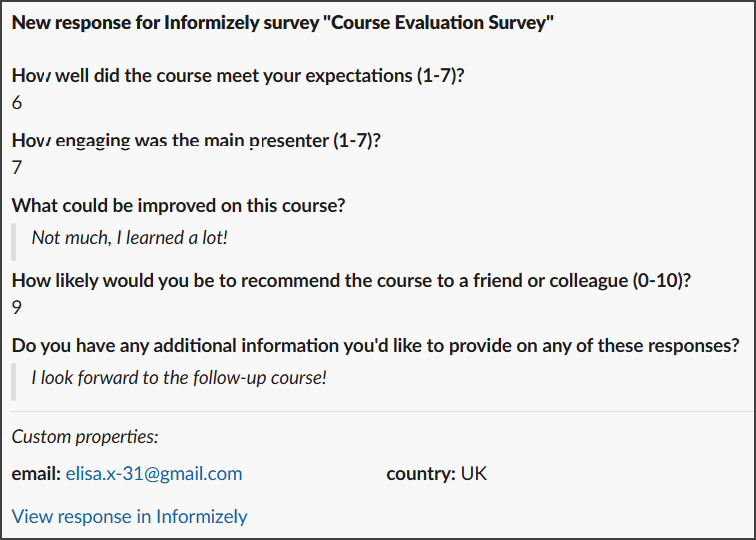
Step 1: Create an Incoming Webhook in Slack
The Slack integration uses a Slack Incoming Webhook URL to post messages to a channel of your choice. To create one:
- Go to https://api.slack.com/apps and sign in with your Slack account.
-
Click "Create New App", choose "From scratch", enter a name (e.g. "Informizely"), select your workspace and click "Create App".
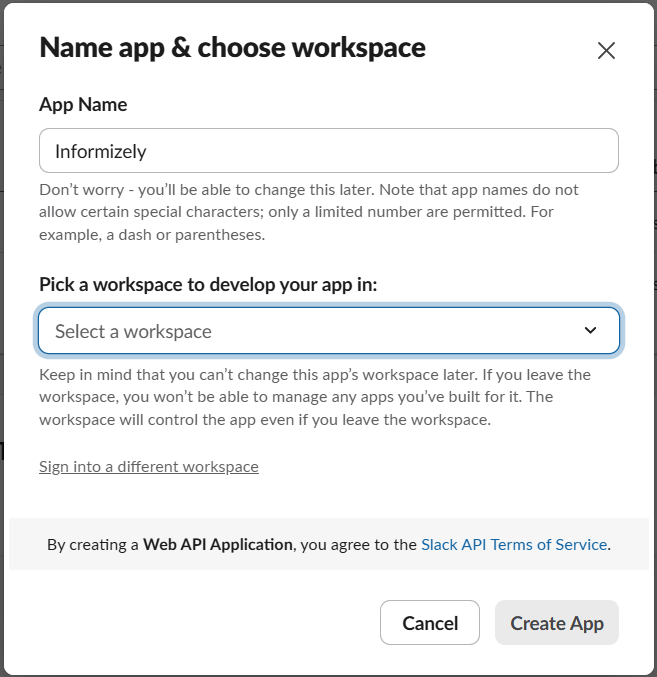
-
In the left sidebar, click "Incoming Webhooks" and toggle "Activate Incoming Webhooks" to On.
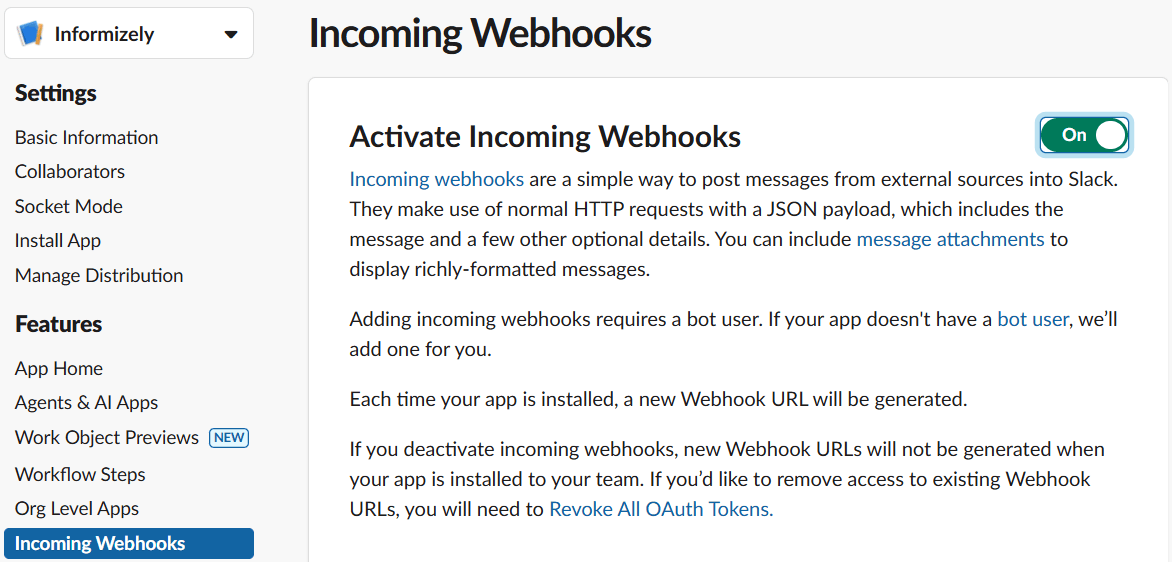
- Scroll down and click "Add New Webhook".
- Select the channel you want survey responses to be posted to and click "Allow".
-
Copy the generated Webhook URL. It will look like:
https://hooks.slack.com/services/T00000000/B00000000/XXXXXXXXXXXXXXXXXXXX
Step 2: Configure the Slack integration in Informizely
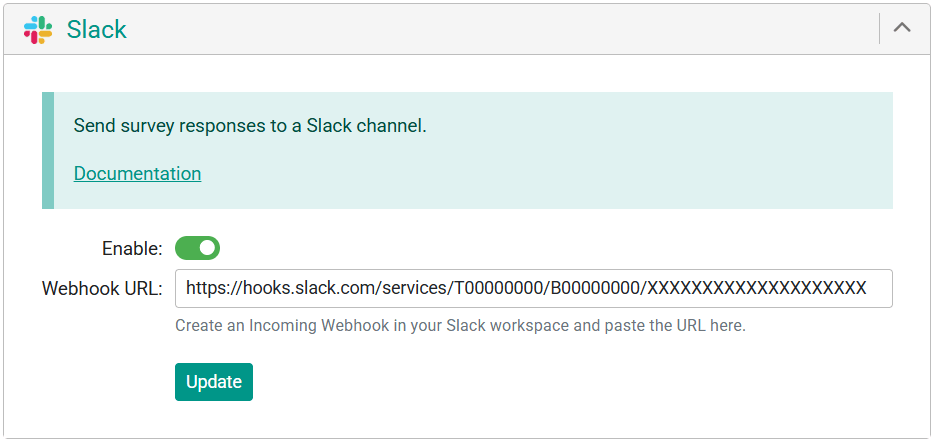
- In your Informizely dashboard, go to the survey you want to connect and open its "Settings" page.
- Click "Add an Integration" (or scroll to the integrations section).
- Open the "Slack" panel.
- Paste the Webhook URL you copied from Slack into the "Webhook URL" field.
- Check the "Enable" checkbox.
- Click "Update".
When you save, Informizely will immediately send a test message to your Slack channel to verify the connection. If the test succeeds, the integration is active and you will see a confirmation message. If it fails, the integration is kept disabled and an error message is shown - double-check that the Webhook URL was copied correctly.
Disabling or removing the integration
To temporarily disable the Slack integration, uncheck the "Enable" checkbox on the integration panel and click "Update". No messages will be sent while the integration is disabled, but the Webhook URL is kept so you can re-enable it later.
To remove the integration entirely, click the X icon in the top-right corner of the Slack integration panel.